


Index
Why User Identity Matters in Nextcloud
The Main Objective: Preserve Identity Continuity
Advantages of Identity Remapping
Migrating from LDAP to OpenID Connect
Identity Provider Migration as an Enterprise Architecture Project
Intro
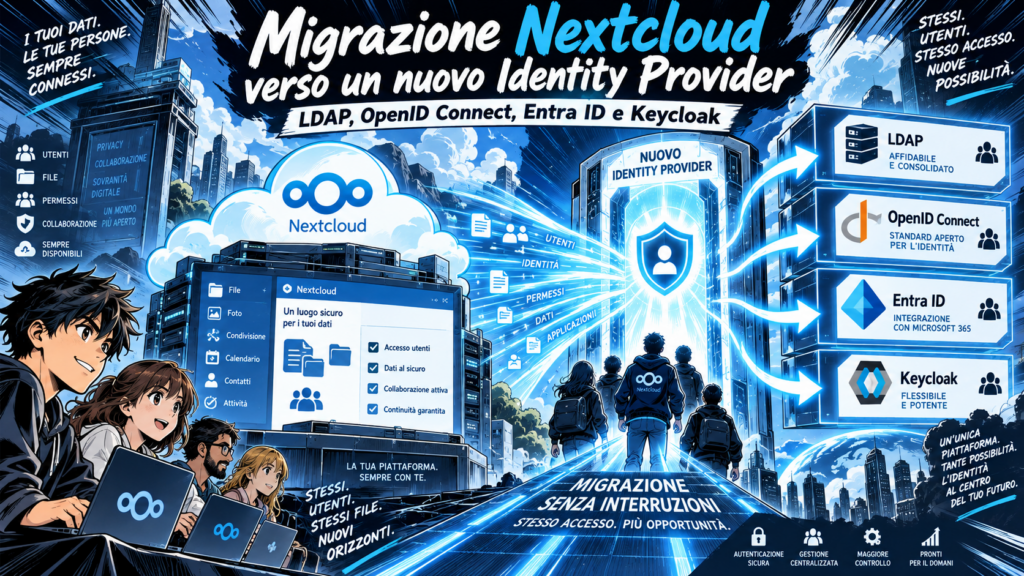
Migrating a Nextcloud environment is not simply a matter of moving files from one system to another. In enterprise environments, one of the most critical aspects of any migration project is preserving user identities and their relationships with existing data, permissions, groups, and applications.
This becomes particularly important when changing the authentication architecture, for example when migrating from LDAP or Active Directory to a modern Identity Provider based on OpenID Connect (OIDC), Microsoft Entra ID, Keycloak, or another centralized identity platform.
If the migration is not carefully designed, Nextcloud may interpret the new authentication identity as a completely new user. This can break the relationship between the user and existing files, shares, permissions, group memberships, application settings, and metadata.
For this reason, an Identity Provider migration should be treated as an identity continuity project, not simply as a login configuration change.
Why User Identity Matters in Nextcloud
Within Nextcloud, a user is much more than a username or an email address.
Over time, Nextcloud creates multiple relationships between each user and the platform, including:
- personal files and folders;
- files and folders shared with other users;
- incoming shares;
- group memberships;
- Team Folder permissions;
- application preferences;
- activity history;
- metadata;
- ownership information;
- collaboration relationships;
- application-specific references.
The key challenge during an authentication migration is therefore to preserve the connection between the existing Nextcloud identity and the identity provided by the new Identity Provider.
Consider a user currently authenticated through LDAP.
The user may appear as:
mario.rossi
The same person may also exist in Microsoft Entra ID or Keycloak using the same username and email address.
However, this does not necessarily mean that Nextcloud will automatically recognize both identities as belonging to the same user.
Behind the visible username, authentication systems may use different unique identifiers.
LDAP environments may rely on attributes such as:
- uid;
- entryUUID;
- objectGUID;
- sAMAccountName;
- userPrincipalName.
An OpenID Connect Identity Provider may instead provide identifiers through claims such as:
- sub;
- preferred_username;
- email;
- upn.
If these identifiers are not mapped correctly, Nextcloud may create a new account instead of associating the new authentication identity with the existing user.
The Main Objective: Preserve Identity Continuity
The goal of a successful Nextcloud Identity Provider migration is straightforward:
the authentication system may change, but the user’s identity inside Nextcloud should remain consistent whenever possible.
From the user’s perspective, the transition should ideally be transparent.
After logging in through the new Identity Provider, users should continue to find:
- their files;
- their shares;
- their group memberships;
- Team Folder access;
- application settings;
- collaboration history;
- permissions and access rights.
Achieving this continuity requires a clear understanding of how identities are represented in both the current and future authentication systems.
Strategy 1: Create New Accounts and Transfer Data
The first migration strategy is to create new accounts using the target Identity Provider and transfer data from the old accounts to the new ones.
This approach can be appropriate when:
- the number of users is relatively small;
- the sharing structure is simple;
- the environment does not contain a large number of complex permissions;
- the organization wants to reorganize its user structure;
- legacy accounts need to be consolidated or cleaned up;
- the migration is being used as an opportunity to redesign the environment.
The process typically involves several phases.
First, new user accounts are created using the target authentication system.
The existing accounts should remain available during the migration period so that administrators can verify that all required information has been transferred correctly.
Depending on the environment, the migration may involve:
- file ownership transfer;
- recreation of shares;
- validation of group membership;
- reconstruction of permissions;
- Team Folder access verification;
- application configuration checks.
It is important to understand that transferring user data does not automatically guarantee that every relationship associated with that user will also be migrated.
Different components inside Nextcloud may reference users in different ways.
As a result, files, shares, metadata, application settings, and other user-related information must be validated individually according to the specific environment.
Only after the migration has been tested and verified should the legacy accounts be disabled or removed.
When This Strategy Works Best
Creating new accounts and transferring data is generally more practical for smaller environments where administrators can manually validate the migration.
For larger enterprise environments, however, this approach can become operationally complex because of the number of user relationships that need to be recreated.
Strategy 2: Identity Remapping
For larger Nextcloud environments, identity remapping is often a more suitable strategy.
Instead of creating a completely new user, the objective is to ensure that the identity provided by the new authentication system is associated with the user that already exists inside Nextcloud.
For example:
Existing identity
mario.rossi
New Identity Provider
mario.rossi
At first sight, these accounts appear identical.
However, matching usernames alone is not sufficient.
The migration must determine which identifiers Nextcloud currently uses internally and which attributes or claims will be provided by the new Identity Provider.
A mapping strategy must then be created between these identifiers.
When identity mapping is correctly implemented, the user can authenticate through the new Identity Provider while continuing to access the resources associated with the existing Nextcloud identity.
This may allow the organization to preserve:
- personal files;
- existing shares;
- group memberships;
- Team Folder permissions;
- application references;
- user preferences;
- collaboration history.
Advantages of Identity Remapping
The main advantage of this approach is continuity.
Instead of migrating the user’s data to a new identity, the authentication mechanism is changed while the existing Nextcloud user relationship is preserved.
This can significantly reduce the migration impact in environments with:
- hundreds or thousands of users;
- complex group structures;
- many shared folders;
- extensive Team Folder usage;
- long-established collaboration workflows;
- multiple integrated applications.
However, identity remapping requires careful planning and testing.
Incorrect mappings can result in duplicate accounts, inaccessible resources, or permissions being assigned to the wrong user.
Migrating from LDAP to OpenID Connect
One increasingly common scenario is the migration from LDAP-based authentication to an Identity Provider that supports OpenID Connect.
LDAP has traditionally been widely used for centralized directory services.
Modern identity architectures increasingly rely on protocols such as:
- OpenID Connect;
- OAuth 2.0;
- SAML.
OpenID Connect allows applications such as Nextcloud to delegate authentication to a centralized Identity Provider.
Instead of Nextcloud validating credentials directly against LDAP, the authentication process can be handled by platforms such as:
- Microsoft Entra ID;
- Keycloak;
- other enterprise Identity Providers supporting OIDC.
This architecture can simplify identity management and enable broader Single Sign-On strategies across multiple applications.
Nextcloud with Microsoft Entra ID
Microsoft Entra ID is frequently used as a centralized Identity Provider in organizations that already rely on Microsoft cloud services.
Integrating Nextcloud with Entra ID can allow organizations to include Nextcloud within their existing identity architecture.
Depending on the configuration, this can enable capabilities such as:
- Single Sign-On;
- Multi-Factor Authentication;
- Conditional Access;
- centralized account management;
- enterprise authentication policies;
- integration with existing Microsoft identity environments.
The key point during a migration is determining which Entra ID claims should be used to identify Nextcloud users.
Using the wrong identifier can result in Nextcloud treating existing users as new accounts.
For this reason, attributes such as email addresses or usernames should not automatically be assumed to represent stable user identifiers.
A proper migration assessment should determine which identity attributes remain consistent throughout the user lifecycle.
Nextcloud with Keycloak
Keycloak is another common Identity Provider used to centralize authentication across applications.
It supports protocols such as:
- OpenID Connect;
- OAuth 2.0;
- SAML.
Organizations can use Keycloak as an identity layer between Nextcloud and multiple identity sources.
For example, Keycloak can integrate with:
- LDAP;
- Active Directory;
- external Identity Providers;
- enterprise directories;
- custom authentication systems.
This architecture can provide organizations with greater control over authentication policies while allowing Nextcloud to rely on a standardized identity interface.
Again, the critical aspect is ensuring that the identity delivered by Keycloak is mapped correctly to the existing Nextcloud user.
Identity Provider Migration as an Enterprise Architecture Project
Migrating authentication systems should not be viewed only as a technical configuration task.
A modern Identity Provider can become the foundation of a broader Identity and Access Management (IAM) strategy.
Centralizing identity management can make it possible to introduce or improve:
- Single Sign-On;
- Multi-Factor Authentication;
- centralized access policies;
- account lifecycle management;
- user provisioning;
- identity federation;
- security policies;
- application integration.
Nextcloud therefore becomes one component of a larger enterprise identity ecosystem.
Instead of independently managing authentication for every application, organizations can define centralized authentication policies and apply them consistently across multiple services.
What to Assess Before Migrating
Before starting the migration, the existing Nextcloud environment should be carefully analyzed.
The assessment should include at least:
- number of users;
- current authentication backend;
- current user identifiers;
- LDAP attributes currently used;
- group structures;
- personal shares;
- group shares;
- Team Folder configuration;
- external storage configurations;
- application integrations;
- user provisioning methods;
- Single Sign-On configuration;
- application-specific user references;
- future Identity Provider architecture.
It is also important to identify which user attributes are stable and unique.
Email addresses, for example, may appear convenient as identity keys but can change over time.
A dedicated immutable identifier may provide a more reliable mapping strategy.
Testing the Migration
Identity migrations should always be tested before being applied to production environments.
A dedicated test environment can be used to simulate the migration process and verify how Nextcloud behaves when users authenticate through the new Identity Provider.
Testing should verify at least:
- successful authentication;
- correct user identification;
- access to personal files;
- existing shares;
- group membership;
- Team Folder access;
- permissions;
- application functionality;
- account duplication;
- user provisioning behavior.
A representative group of users should be selected for testing, including users with different permission structures and collaboration patterns.
Avoiding Duplicate Accounts
One of the most common risks during Identity Provider migration is accidental account duplication.
For example, an existing LDAP account may appear in Nextcloud as:
mario.rossi
After enabling OpenID Connect authentication, the Identity Provider may create:
mario.rossi@example.com
From an administrator’s perspective, both accounts clearly belong to the same person.
From Nextcloud’s perspective, however, they may represent two separate identities.
The result may be that the user logs in successfully but sees an empty account without access to previous files and shares.
This is why user mapping must be validated before enabling the new authentication system for the entire organization.
Small Environment vs Enterprise Environment
There is no single migration strategy that applies to every Nextcloud deployment.
In a small environment, creating new accounts and transferring the required data may be the simplest approach.
In larger enterprise environments, however, preserving the existing identity structure is often more important.
An identity mapping strategy may therefore be preferable when:
- many users are involved;
- complex sharing relationships exist;
- Team Folders are widely used;
- the platform contains years of collaboration data;
- multiple applications depend on existing identities.
The more relationships users have inside Nextcloud, the more important identity continuity becomes.
From Authentication Migration to Business Continuity
A Nextcloud Identity Provider migration should ultimately be considered a business continuity project.
Changing the authentication backend without considering user relationships can disrupt access to data and collaboration workflows.
A properly designed migration should aim to preserve the relationship between:
Users → Data → Shares → Groups → Permissions → Applications
The authentication system may change, but these relationships should remain stable whenever technically possible.
This approach reduces user disruption and allows organizations to modernize their identity architecture without unnecessarily rebuilding their Nextcloud environment.
Conclusion
Migrating Nextcloud from LDAP or another authentication backend to Microsoft Entra ID, Keycloak, or an OpenID Connect Identity Provider requires more than simply enabling a new login method.
The central challenge is preserving the identity of existing users.
Two main strategies can be considered:
- creating new accounts and transferring the required data and permissions;
- remapping the new authentication identity to the existing Nextcloud user.
The appropriate strategy depends on the size and complexity of the environment.
Small deployments may benefit from a controlled account migration, while larger enterprise infrastructures often require a carefully designed identity mapping strategy.
In both cases, the migration should begin with a detailed assessment of user identifiers, group structures, permissions, shares, Team Folders, and integrated applications.
A successful Identity Provider migration does not simply move users to a new login system.
It preserves their digital identity and ensures continuity across data, permissions, collaboration workflows, and enterprise applications.